Pre-arrival Comfort
Room pre-cools / Fan speed increases / Ready before arrival
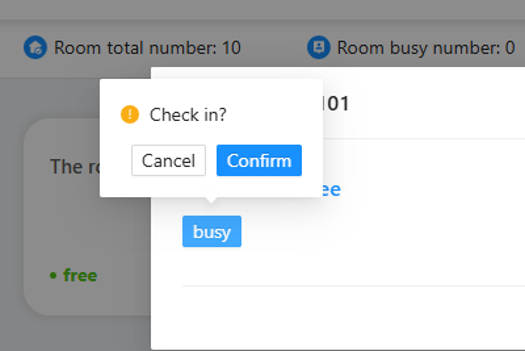
When front desk completes check-in, the room pre-cools to your preset temperature before the guest arrives.
How It Works
- 1
Vacant to Occupied
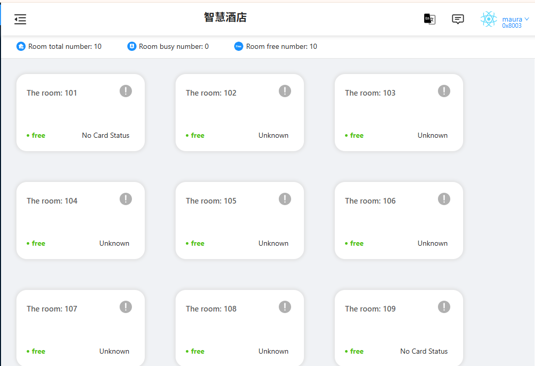
As soon as check-in is completed at the front desk, the room automatically switches from Vacant to Occupied mode.
- 2
Cooling to preset temperature
The system cools the room to the preset temperature and sets the air conditioner to high fan speed.
- 3
Creating a comfortable environment
A comfortable environment is created before guest arrival. The guest enters a room that is ready to enjoy.
When front desk completes check-in, the room automatically switches from Vacant to Occupied mode.
The system prepares the room by:
- Cooling the room to the preset temperature
- Setting the air conditioner to high fan speed
- Creating a comfortable environment before guest arrival
The guest enters a room that is ready to enjoy.
Solution Components
All our solutions work with local control. No internet is required for guest room operation.
Why Choose This Solution?
Works without Internet
Local automation keeps guest rooms running even when the internet is unavailable.
Reliable Local Control
Bluetooth Mesh technology eliminates the need for a central hub, delivering stable and responsive control.
Easy Deployment
Quick device commissioning with the GL Mesh App helps speed up installation and project delivery.
Easy Maintenance
Remote configuration, OTA firmware updates and device replacement simplify long-term maintenance.
Smart technology should simplify the guest experience—not complicate it.
Related Solutions
Welcome Scene
Entrance light turns on / Welcome message plays / Curtains open / AC starts
A comfortable arrival begins the moment the guest opens the door. When the guest enters the room, the smart system automatically creates a welcoming environment.
View SolutionSmart AC
Compatible with different HVAC systems / Local control / Easy integration
Flexible climate control for different hotel HVAC systems — reliable local control without replacing your existing equipment.
View SolutionSmart Temperature Control
Automatic adjustment / Scheduled operation / Occupancy-based control
Maintain a comfortable room while saving energy, through automatic temperature adjustment, scheduling and occupancy-based control.
View SolutionInterested in this solution?
Tell us about your hotel project and we will help you design the right setup.
Get a Quote